If you run a small business and you've ever felt like Pinterest is one of those platforms you should be using but never quite figured out, you're in good company. The good news: Pinterest offers a free, self-paced learning hub called Pinterest Academy, and in 2026 it's more useful than ever for owners who want results without hiring a full marketing team.
Pinterest Academy is open to anyone with a free Pinterest business account, and it works on any device, so you can knock out a lesson on your laptop between customers or on your phone during a slow afternoon. Below, we'll walk through what it offers and how to make the most of it.
What Pinterest Academy Actually Teaches
Pinterest Academy is a library of short, on-demand courses built around how the platform really works today. Instead of dense manuals, you get bite-sized lessons you can finish in a single sitting. The curriculum generally covers:
- Getting set up the right way — claiming your website, turning on Rich Pins, and organizing boards so they're easy to find.
- Creating Pins that perform — including video Pins and Idea Pins, the short-form, multi-page format that now drives a huge share of engagement.
- Pinterest as a search engine — using keywords and descriptions so your products surface when people are actively planning a purchase.
- Advertising basics — building your first ad campaign, choosing goals, and reading the numbers in Pinterest Analytics.
Why Pinterest Still Matters for Small Businesses in 2026
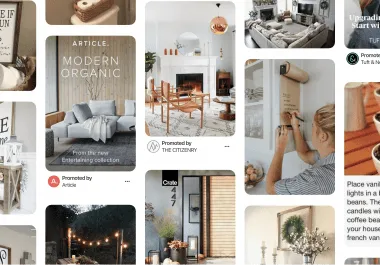
Pinterest has grown well past half a billion monthly active users, and what makes that audience valuable isn't just the size, it's the intent. People don't open Pinterest to argue or scroll mindlessly. They come to plan: a kitchen remodel, a wedding, a new wardrobe, a small-batch gift. That mindset means a Pin you create today can keep sending traffic and sales for months, long after a typical social post has disappeared from the feed.
That's a real edge for a small business with a limited budget. A single well-keyworded Pin can quietly work for you week after week, which is very different from the post-it-and-it's-gone rhythm of most platforms.
The Skills Worth Prioritizing
If your time is tight, focus your Academy sessions on the lessons that move the needle fastest:
- Idea Pins and video. Short-form video is the language of social media in 2026, and Pinterest rewards it. Learn how to film a quick how-to, a product reveal, or a behind-the-scenes clip on your phone.
- Keywording for search. Treat your Pin titles and descriptions like SEO. Think about the exact words a customer would type when they're ready to buy.
- Social commerce. Connect your product catalog so shoppers can move from inspiration to checkout without leaving the app.

Don't Forget AI and Answer-Engine Visibility
One thing Pinterest's older training never had to address: AI. In 2026, customers increasingly find businesses through AI search tools and answer engines, not just traditional results. Pinterest itself leans on AI to recommend Pins and surface products, so clear, descriptive, keyword-rich content helps the algorithm understand and promote what you offer.
You can also use AI on your side. Tools that draft Pin descriptions, suggest keywords, or generate first-draft graphics can cut your production time dramatically, freeing you to focus on the human touches that make your brand feel like yours.
How to Get Started
Getting going takes about an afternoon:
- Sign up for (or convert to) a free Pinterest business account.
- Open Pinterest Academy and start with the beginner setup track.
- Apply each lesson immediately — claim your site, create one Idea Pin, write one keyword-rich description.
- Check Analytics after a couple of weeks to see what's resonating, then do more of it.

When You'd Rather Hand It Off
Pinterest Academy is genuinely valuable, and free education is always worth taking advantage of. But learning the platform and consistently running it are two different jobs. Many small-business owners go through the courses, get excited, then run out of hours to actually pin every week.
That's exactly where a done-for-you service helps. At $99 Social, our team handles the day-to-day posting, content creation, and consistency across your social channels so you can stay focused on serving customers. Whether you take the DIY route through Pinterest Academy or let us carry the load, the goal is the same: showing up where your customers are already searching, and turning that attention into real business.


