When LinkedIn Live first appeared, it was an invite-only experiment that most small-business owners never got to touch. That era is long gone. In 2026, live video is a core part of how LinkedIn works, and the platform is openly nudging creators, founders, and brands to broadcast more often. If you run a small business and you have been ignoring LinkedIn Live, this is the year to give it a real shot, because the barrier to entry has basically disappeared and the payoff for being early is still very real.
LinkedIn's own guidance is consistent: live broadcasts create genuine brand moments, deepen relationships with your followers, and earn far more engagement than a standard text post. The numbers back that up. Live video on LinkedIn routinely pulls several times more comments and reactions than pre-recorded clips, partly because comments arrive in real time and partly because the algorithm rewards the back-and-forth. For a small business, that means a single well-run broadcast can do the work of a dozen ordinary posts.
Why LinkedIn Live matters for small businesses now
Two big shifts make 2026 the right moment. First, short-form and live video are no longer a "nice to have" on LinkedIn. The platform has leaned hard into video over the past two years, with a dedicated video feed and aggressive distribution for anyone who shows up consistently. Second, the rise of AI search and answer engines means buyers increasingly research vendors before they ever fill out a form. Showing up live, as a real human who knows their stuff, builds the kind of trust that an AI summary simply cannot manufacture for you.
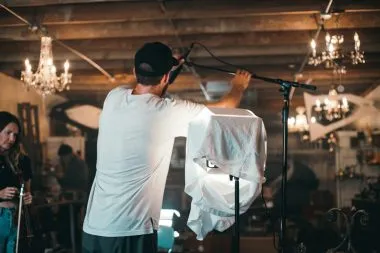
You can broadcast from your personal profile or a company Page, and most accounts in good standing now qualify with little more than a follower base and a clean history. You will also need a third-party streaming tool, since LinkedIn partners with broadcast software rather than offering a one-tap "go live" button for desktop streams. The good news is that the setup is a one-time job, and once you are connected you can schedule events weeks in advance.
What to broadcast
The format matters less than the value. Pick something you can talk about for 20 to 30 minutes without notes, then build a light structure around it. Strong, reliable formats for small businesses include:
- Live Q&A sessions where you answer the questions prospects actually ask you all day.
- Behind-the-scenes looks at how you make, deliver, or support your product.
- Expert interviews with a partner, supplier, or happy customer.
- Product walkthroughs and demos that show real results, not just features.
- Industry commentary reacting to a news item your audience cares about.
Whatever you choose, give people a reason to show up live rather than catching the replay. Exclusive answers, a giveaway, or the chance to be mentioned by name all work.
Tips for a broadcast that actually lands
A few habits separate the streams that grow a business from the ones that flop:
- Promote it like an event. Schedule it as a LinkedIn Event, post about it a few days ahead, and remind people the morning of.
- Open strong. The first 30 seconds decide whether scrollers stay. Lead with the payoff, not a long intro.
- Run at least 15 minutes. Longer broadcasts give the algorithm and latecomers time to find you, and they give comments room to build.
- Read comments out loud. Naming and answering viewers in real time is the whole point of live, so have someone help you watch the chat if you can.
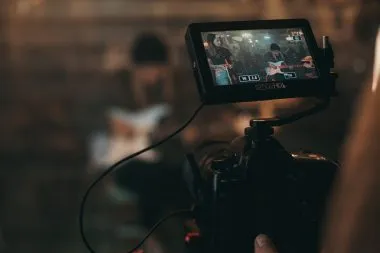
- Mind your basics. Good lighting, clear audio, and a stable connection beat any fancy camera. Hardwire your internet if possible.
The real win is what happens after
Here is the part most small businesses miss. Your broadcast does not end when you stop streaming. The replay lives on as a permanent post, and the recording is a goldmine of content. Clip the best two or three minutes into a short vertical video. Pull three quotes into a text post. Turn the transcript into a blog article or a LinkedIn newsletter issue. With AI tools now built into most editing apps, this repurposing takes minutes, not hours, and it stretches one hour of live work across weeks of consistent posting.
That habit of showing up, then slicing each appearance into many pieces, is exactly the kind of steady presence that grows a small business on social media. It is also exactly the kind of work that is easy to start and hard to keep up alone. If planning, going live, and repurposing every broadcast sounds like more than you can fit around running your business, that is where a done-for-you partner earns its keep. At $99 Social, we handle the consistent posting and content management so the social media side keeps moving while you stay focused on customers. Go live, be yourself, and let the rest become a system. In 2026, that combination is one of the most affordable competitive edges a small business can have.


