Launching a Facebook campaign in 2026 means working inside a set of Meta tools that have changed names, merged, and split often enough to confuse anyone who last ran ads a few years ago. The good news is that the set you actually need is small, most of it is free, and each tool has a clear job in the life of a campaign - planning, building, tracking, and improving.
This is not a list of scheduling apps. Those help with day-to-day page management. This is the toolkit for a campaign: a defined push with a goal, a budget, a start date, and an end date. Here are the seven tools a small business should know before the first dollar is spent.
1. Meta Business Suite - the home base
Everything starts in Meta Business Suite. It is where your Facebook Page, Instagram account, ad accounts, pixel, and team members live under one business portfolio. For a campaign, it is the place to confirm the basics: that you have admin access to the page and ad account, that the right people have the right permissions, and that a payment method is attached.
Business Suite also handles organic posting and scheduling for Facebook and Instagram at no cost, the shared inbox for comments and messages, and the Insights tab for page-level reporting. If your campaign includes organic posts alongside ads, this is where they get planned.
Set it up properly before anything else. A surprising number of campaign problems trace back to an ad account owned by a former employee or an agency's Business Manager.
2. Meta Ads Manager - where the campaign is built
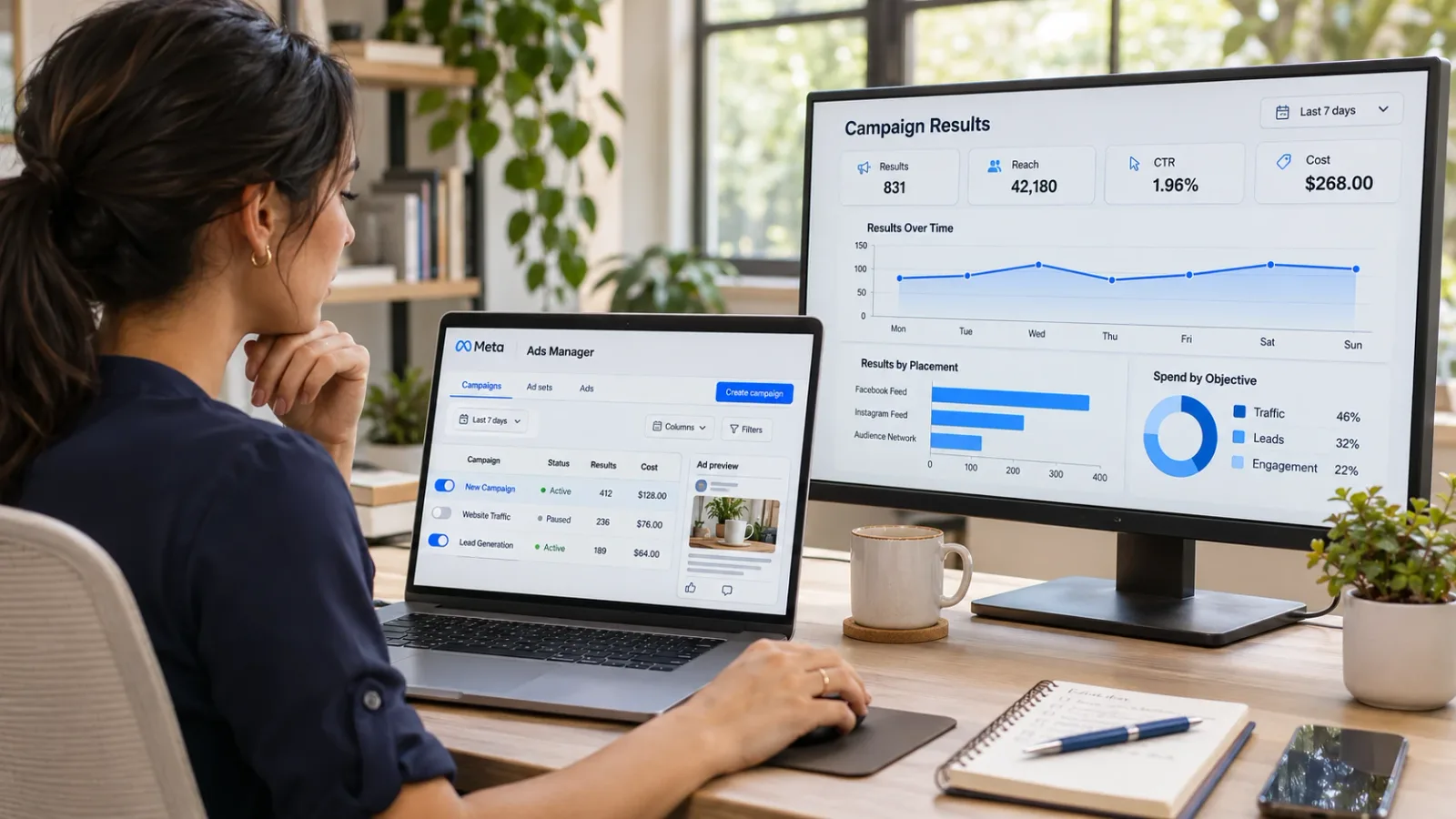
Ads Manager is the engine room. It is where you choose the campaign objective, set budgets and schedules, define audiences, pick placements, and upload creative. The structure is three layers: campaign (objective and budget), ad set (audience, placement, schedule), and ad (the creative and copy people see).
For a new campaign the key decisions are objective and budget. Choose the objective that matches what you actually want - leads, sales, traffic, or awareness - because Meta optimizes delivery toward it. Advantage+ campaign settings now automate much of audience and placement selection, and for most small businesses they outperform hand-built targeting, so start there and narrow only if results warrant it.
Ads Manager is also where you duplicate winning ads, pause losers, and read results. Learn its column customization early; a saved column set with cost per result, results, reach, and frequency will save you time every week of the campaign.
3. The Meta Pixel and Conversions API - the measurement layer
Without tracking, a campaign cannot tell you what it did. The Meta Pixel is a small piece of code on your website that reports visits, leads, and purchases back to Meta, so Ads Manager can show which ads produced results and optimize toward more of them. The Conversions API does the same job from your server or website platform, and it matters more every year as browser privacy changes make the pixel alone less reliable.
Most website platforms - Shopify, WordPress, Wix, Squarespace - have a built-in Meta integration that installs both with a few clicks. Set it up in Events Manager, confirm events are firing with the test tool, and do this before the campaign launches, not after. Data you did not collect in week one cannot be recovered.
If your campaign goal is leads and you do not want to send people to a website, Meta's instant forms collect the lead inside Facebook and skip the pixel question entirely.
4. Meta Ad Library - research before you build
The Ad Library is a public, searchable database of every ad currently running on Facebook and Instagram. Before you write a single ad, search for your competitors and for businesses like yours in other cities. You will see their creative, their copy, how long each ad has been running, and in some cases the variations they are testing.
An ad that has been live for months is almost certainly working. Study the format, the hook, and the offer, then build your own version for your business. The Ad Library is free, requires no account, and is the fastest way to avoid launching a campaign with creative nobody has validated.
5. Advantage+ creative and the built-in AI tools
Meta's creative tools inside Ads Manager now do a lot of the production work that used to require a designer. Advantage+ creative can generate background variations, resize an image for every placement, write alternate headlines and primary text, and add music or captions to video. Text and image generation inside the ad builder lets you produce several versions of a concept in minutes.
Use these to multiply good ideas, not to replace them. The best results still come from a real photo of your work, a clear offer, and a hook written for your customer. Let the tools produce the variations and let the campaign data tell you which ones to keep. For most small businesses this removes the need for a separate design tool for ads, though a free Canva account remains useful for organic posts and anything with a lot of text.
6. Meta Audience tools - custom and lookalike audiences
Inside Ads Manager, the Audiences section is where campaigns get smarter over time. Custom audiences let you reach people who have already interacted with you: website visitors, your customer email list, people who engaged with your page or watched your videos. Lookalike audiences ask Meta to find new people who resemble those groups.
For a new campaign the practical sequence is: run broad with Advantage+ targeting to gather data, build a custom audience from the people who engaged or visited, then add a retargeting ad set that reminds those people of the offer. Retargeting ads are consistently among the cheapest results a small business can buy, because they reach people who already know you.
7. Meta Ads Reporting and A/B testing - learning what worked
The reporting tools inside Ads Manager, plus the dedicated A/B test feature, close the loop. A/B tests let you run two versions of an ad, audience, or placement against each other with the budget split cleanly, so the answer is not muddied by Meta's own optimization. Test one variable at a time: the image, the headline, or the offer.
Reporting breakdowns show results by age, gender, placement, device, and time of day. Check these weekly during the campaign. If Reels placements are producing leads at half the cost of feed placements, shift budget. If one age group is doing all the converting, say so in the next round of creative. A campaign reviewed weekly and adjusted once almost always beats one that runs untouched for a month.
Where a management partner fits
Seven tools is manageable, but each has a learning curve, and the campaign still needs creative, copy, and a steady stream of organic posts to land on. Many small businesses run their first campaign themselves to learn the ropes, then hand the ongoing work - the posting, the short-form video, the ad upkeep - to a social media management service so the owner can get back to the business. Either way, knowing what each tool is for puts you in a position to judge the work.
The short version
Set up Business Suite first, build in Ads Manager, install the pixel and Conversions API before launch, research in the Ad Library, let Advantage+ creative multiply your best ideas, use custom and lookalike audiences to retarget, and review with reporting and A/B tests every week. That is the whole toolkit for a Facebook marketing campaign in 2026, and most of it costs nothing beyond the ad budget itself.