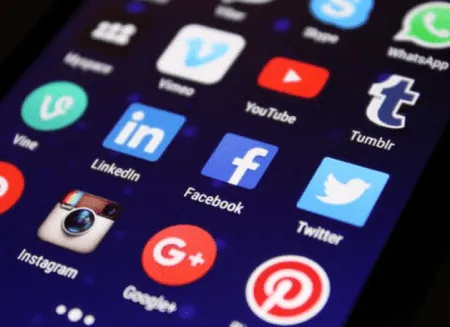
If you run a blog for your small business, you already know the goal isn't just to publish great content, it's to get that content read. And in 2026, the fastest way to put your posts in front of new eyes is still the same: get other people to share them. Billions of people are active across platforms like Facebook, Instagram, LinkedIn, and X, and every one of them could become your next customer or loyal reader.
But here's the catch. Posting your own links to your own accounts only reaches the audience you already have. To grow, you need your readers doing the sharing for you. That's exactly what social sharing buttons are for. They let someone pass your post along to their own followers with a single tap, no copying, no pasting, no friction. They're one of the simplest, most reliable ways to increase engagement and expand your reach.
Why social sharing buttons still matter in 2026
It might seem like a small detail, but the easier you make sharing, the more it happens. When a reader has to manually copy your URL, switch apps, and write their own caption, most won't bother. A well-placed button removes every one of those steps. One click, and your content is recommended to a whole new circle of people, complete with a friendly endorsement from someone they trust.
That trust factor is huge. A link shared by a friend or colleague carries far more weight than an ad ever could. And with so much of today's discovery happening through social feeds and short-form video, organic shares are some of the most valuable traffic you can earn, because they're essentially free word-of-mouth marketing at scale.
Where to place your buttons
Placement matters just as much as having the buttons at all. You want them visible without being intrusive, especially since most of your readers are on mobile. Here are the spots that consistently perform well:
- At the top of the post: Some readers know they'll share before they've finished reading. Make it easy for them.
- At the bottom of the post: This catches people right after they've finished and are feeling motivated to act.
- A floating sidebar or sticky bar: A slim set of buttons that follows the reader as they scroll keeps sharing one tap away the entire time, without crowding your content.
If you want a clean, minimalist look, don't worry. Modern sharing buttons are lightweight and can be styled to blend right into your brand. You don't have to clutter the page to give people the option to share.
Choose the right platforms, not all of them
It's tempting to add a button for every network out there, but that's a mistake. Too many choices slow your page down and overwhelm readers. Instead, pick the three or four platforms where your audience actually spends time. For most small businesses in 2026, that means a focused set like Facebook, LinkedIn, X, and a "copy link" option that works perfectly for sharing to Instagram, WhatsApp, or text messages.
Pay attention to your analytics, too. If almost none of your shares come from a particular platform, drop that button and keep your interface tidy. A short, relevant list of options always outperforms a long, generic one.

Make sharing look good everywhere it lands
When your post gets shared, the link should look polished, not like a broken preview. This is where a little behind-the-scenes setup pays off. Add Open Graph and X (Twitter) Card tags to your posts so that every shared link automatically pulls in an eye-catching image, a strong headline, and a short description. A great-looking preview gets dramatically more clicks than a plain URL.
It's also smart to write your headlines and meta descriptions with sharing, and AI search, in mind. Clear, specific, genuinely useful titles get shared more often by people, and they're more likely to be surfaced and cited by AI answer engines like ChatGPT, Perplexity, and Google's AI Overviews. In 2026, optimizing for both human shares and AI visibility goes hand in hand.
A few quick tips to maximize shares
- Keep it fast: Use a lightweight sharing tool so your buttons never slow your page down. Speed affects both your rankings and your reader's patience.
- Add a gentle nudge: A short line like "Found this helpful? Share it with a fellow business owner" reminds readers to act.
- Repurpose into video: Turn your best posts into short-form Reels or clips. Pair them with sharing buttons and your content travels even further.
- Test and refine: Try different placements and platforms, watch what your audience responds to, and adjust.
The bottom line
Social sharing buttons are a small addition with an outsized payoff. They turn your readers into promoters, extend your reach far beyond your own following, and cost you almost nothing to set up. If growing your blog audience is on your to-do list this year, this is one of the easiest wins available.
Of course, sharing buttons work best when you have a steady stream of quality content and an active social presence to anchor them. If keeping up with posting feels like more than you can manage, that's where a done-for-you service like $99 Social comes in, handling your social media so you can focus on running your business while your content keeps working for you.


